


Orca Slicer vase mode, explained
Vase mode, called spiral vase in Orca Slicer, prints a model as one continuous single wall that spirals upward without ever stopping. Because the nozzle rises gradually as it goes round instead of stepping up layer by layer, there is no layer seam and no Z scar, so the surface comes out exceptionally smooth. It is made for open, hollow shapes like vases, cups, pots and lampshades. The catch is that it only works on models suited to a single spiralling wall, so it is a special mode rather than an everyday setting.
You will find it in the Others tab, in the Special mode section.
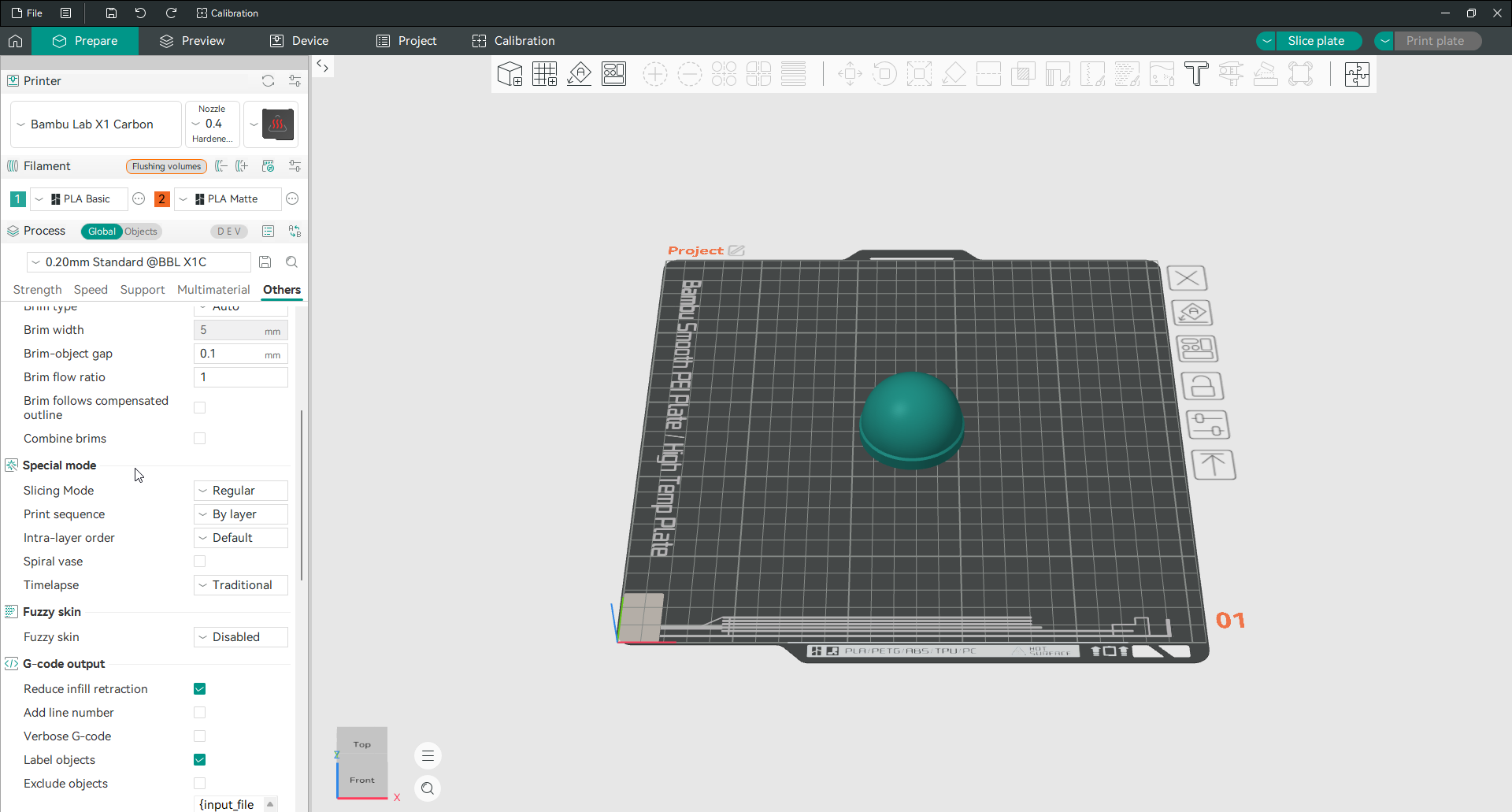

What spiral vase does
With spiral vase on, the whole model is printed as a single outer wall that climbs in a smooth spiral. There is no infill, no inner walls, and no solid top, so the result is a thin, hollow, watertight-looking shell with a seamless surface. The continuous motion removes the tiny blemish left where each normal layer starts and stops, which is why vase-mode prints look so clean.
What it needs
Spiral vase only works on shapes that can be drawn as one continuous outer contour, which means open vessels rather than solid or enclosed models. The model should have a single perimeter and no top, so the object is hollow and open at the top. Because there is no top surface, you set the top layers to zero, and you usually keep a few bottom layers so the base is solid and holds water. Wall count is effectively one, and infill does not apply. If a model has separate islands, overhangs that need support, or a closed top, it is not a candidate for vase mode.
When to use it
Reach for vase mode when you want a smooth, seamless, lightweight print of an open shape, and you do not need internal strength. Vases, planters, cups, shades and organic decorative pieces are the classic uses. For anything that has to be strong, hold detail on a closed top, or carry load, print it normally instead, since a single thin wall gives none of the strength a full-walled part does.
Frequently asked questions
What is vase mode in Orca Slicer?
It is a special mode, called spiral vase, that prints a model as one continuous single wall spiralling upward with no layer changes. That removes the layer seam and gives a very smooth surface, which suits hollow open shapes like vases and cups. It is turned on in the Others tab under Special mode.
What models work in vase mode?
Open, hollow shapes that can be drawn as a single outer wall, such as vases, cups, pots and lampshades. The model needs one perimeter and an open top. Solid parts, closed shapes, models with separate islands, and anything needing support will not print correctly in vase mode.
Do I need top or bottom layers in vase mode?
Set the top layers to zero, since a vase is open at the top and spiral vase cannot cap it. Keep a few bottom layers so the base is solid and can hold water. The walls print as a single spiralling perimeter, so wall count and infill do not apply.
Why is my vase mode print so smooth?
Because the nozzle never stops to change layers. In normal printing, each layer starts and ends at a seam that leaves a small mark up the side. Spiral vase rises continuously in one motion, so there is no seam and no Z step, which is what gives the surface its clean, flowing finish.